Mobile Clip Editor
Company: Twitch
Role: Lead Designer
Timeline: October 2024 - January 2025
Impact: ↑122% in clips published on mobile
Clips are short moments from Twitch livestreams that viewers save and share to celebrate great plays and build community. However, the mobile clip editor was not meeting users' needs: creation was slow, and there was limited control over how clips looked. This project set out to streamline the experience while expanding creative control, including portrait cropping for 9:16 mobile-ready content.
The full end-to-end design process was involved, from user research and cross-functional ideation to wireframing, usability testing, prototyping, accessibility annotations, and final design QA with engineering. It was also highly collaborative due to the use of new internal technology at Twitch, requiring close partnership with PM and engineers that led to thoughtful tradeoffs in several design decisions.
Informed by data and research
While over 70% of clips are generated by viewers, our research revealed a core friction point: creating clips was disruptive to the listream. On mobile, the previous clip creation flow completely blocked the view of the stream. The redesign allows users to stay immersed in the stream while seamlessly clipping and sharing highlights.

Designed for mobile formats
The new editor gave users control to optimize their clips for mobile formats, with tools to reframe 16:9 livestream footage into 9:16 layouts so moments stayed clear, intentional, and high quality on small screens. This also allowed users to effortlessly export these clips to short-form content platforms such as TikTok and Instagram.

Accessible by default
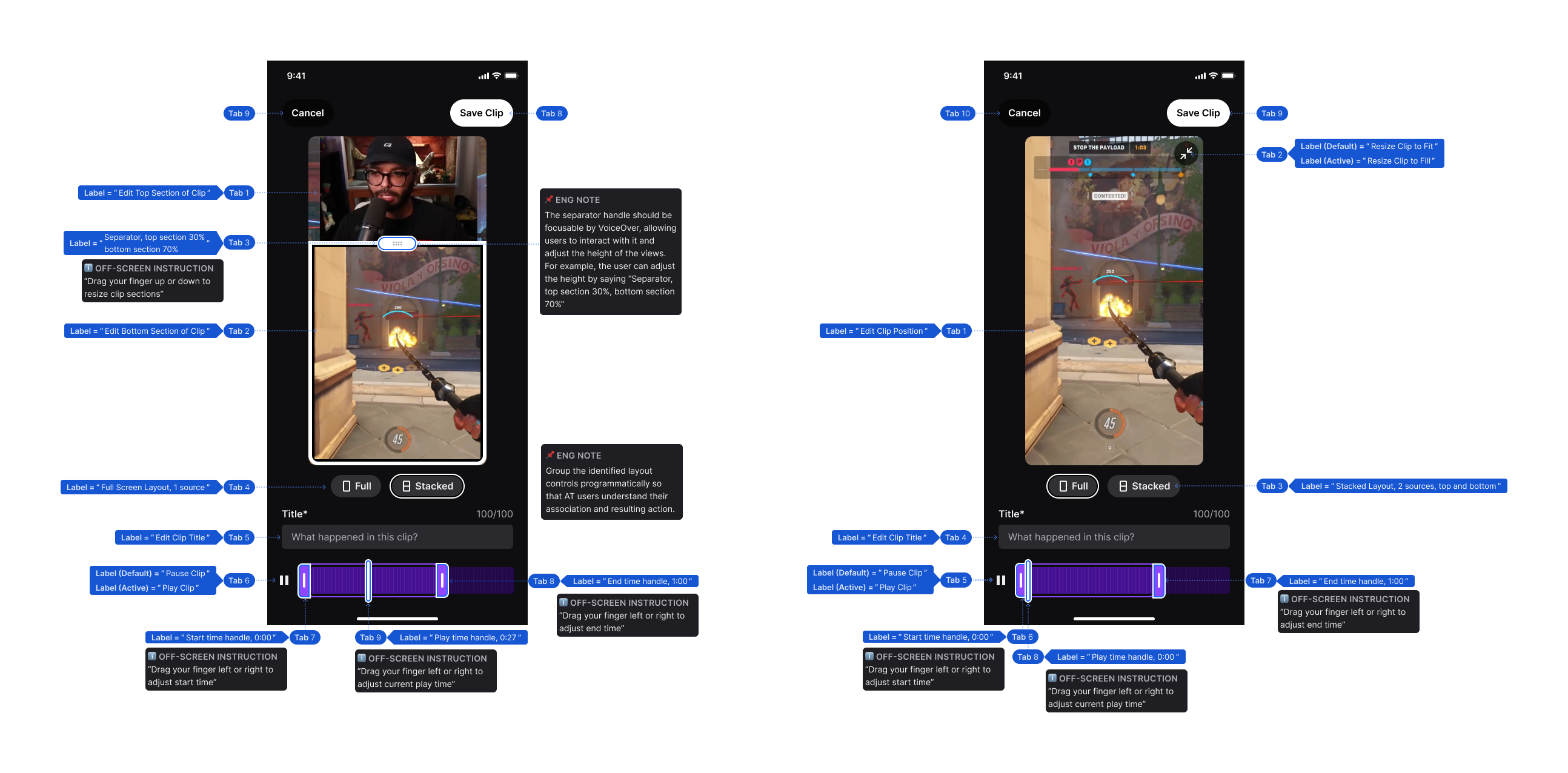
The editor was designed to be powerful yet still inclusive, building in support for screen readers, clear assistive text, and thoughtful tab ordering. This ensured users who rely on assistive technologies could participate in the full clip creation experience.
Flexible for different contexts
The experience supports both fast and intentional creation. Users can quickly save the last 60 seconds with default settings, ensuring they don't miss any part of the stream. Or, they can enter a full editing flow when they want more control.
Impact
- 122% increase in clip publish conversion (the percentage of users who started the clip flow and successfully published a clip), our primary success metric
- It also reduced average clip editing time by 19% and decreased load time by 79%, significantly speeding up the overall experience.
- These results led to the full launch of the redesigned mobile clip editor, which is used today in Twitch's mobile app.
- The work was recognized for its design and featured in a Figma campaign in Times Square, New York.


