Twitch Mobile Clip Editor
Making Twitch's clip creation faster, simpler, and more powerful for mobile users.
Role
Lead Product Designer (end-to-end)
Team
1 Designer · 1 PM · 1 UXR · 12 Engineers
Timeline
Sep 2024 - Jan 2025
Context
Clips are one of Twitch's most important shareable moments, yet on mobile, creating one was slow and disruptive. Over 70% of clips were created by viewers during a livestream, but pulling them out of the stream to wait, trim, and title meant they were missing the action. As a result, only 12% of clip attempts were ever saved. On top of that, mobile clipping was locked to landscape format and didn't meet accessibility standards.
Goals
Goal 1
Reduce friction in the clip creation flow
Goal 2
Add portrait clip editing functionality
Goal 3
Meet WCAG AA accessibility standards
My role
Lead product designer owning end-to-end design across research, interaction, visual, and QA.
- Conducted self-led usability testing with 8 participants
- Tight collaboration with engineering; we shipped this on a new internal tooling stack
- Created accessibility annotations and partnered with the accessibility PM to meet WCAG AA
- Owned QA / VQA across iOS and Android
- Produced high-fidelity prototypes featured in Figma's Times Square campaign
Research insights
of streams ended with a clip, and most had only one.
of clip attempts on mobile got published. 88% were abandoned.
of users said the main reason they don't clip is how slow and disruptive it is.
User journey map
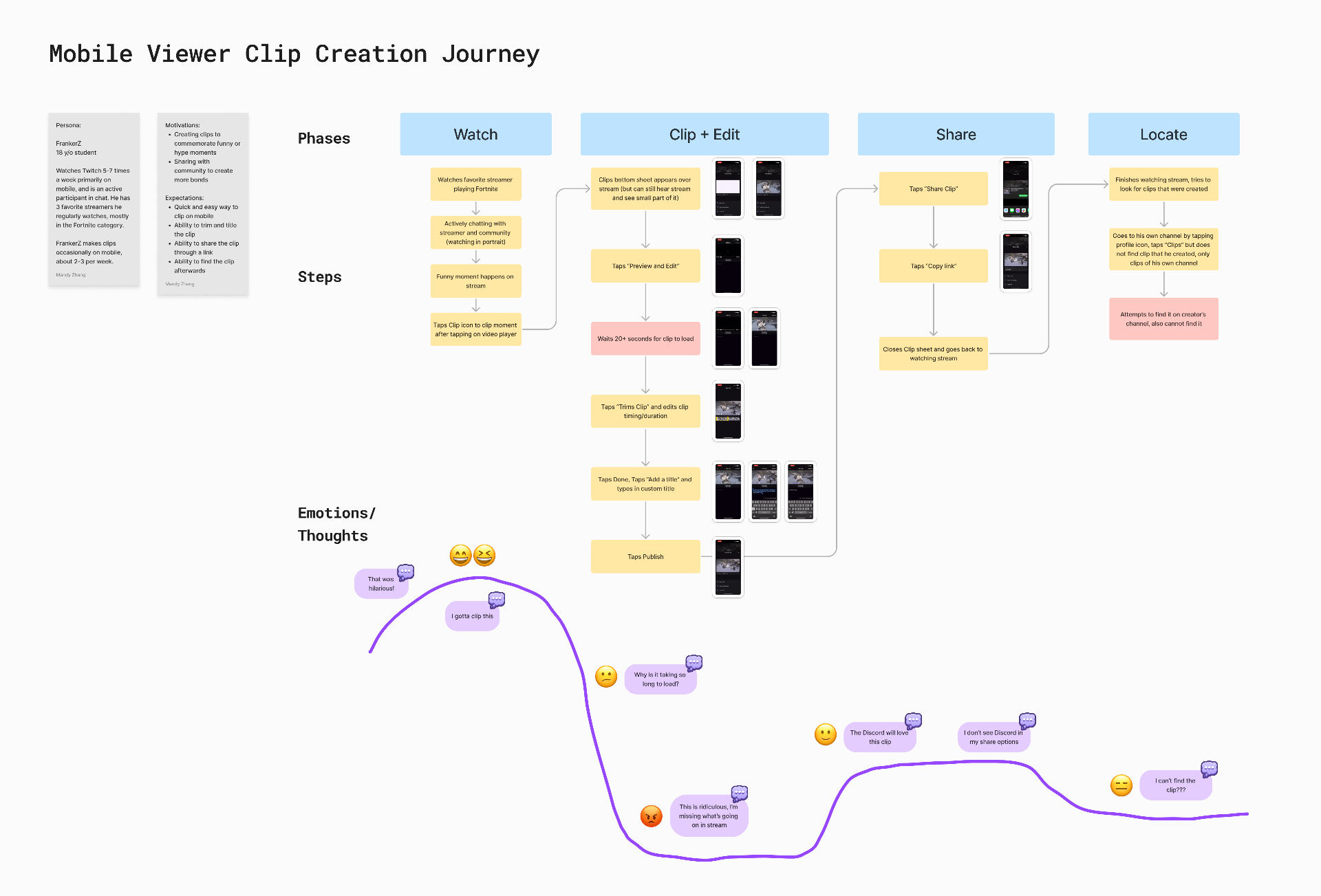
Mapping the existing mobile viewer's clip creation journey surfaced where emotion dropped: the long load and the disruptive context switch away from the stream.
Wireframes
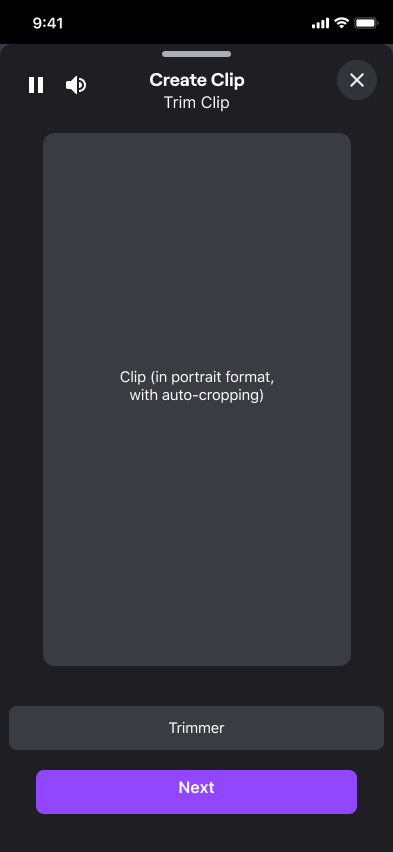
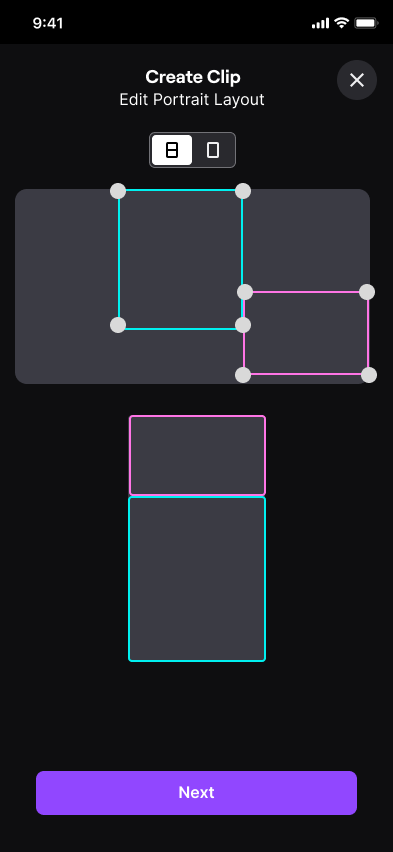
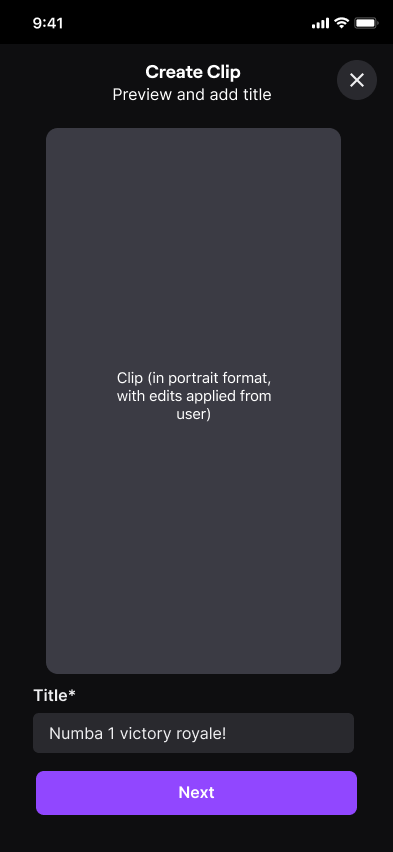
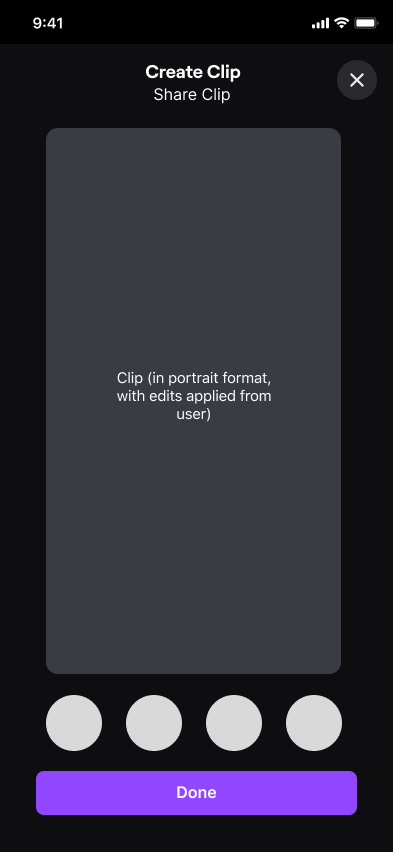
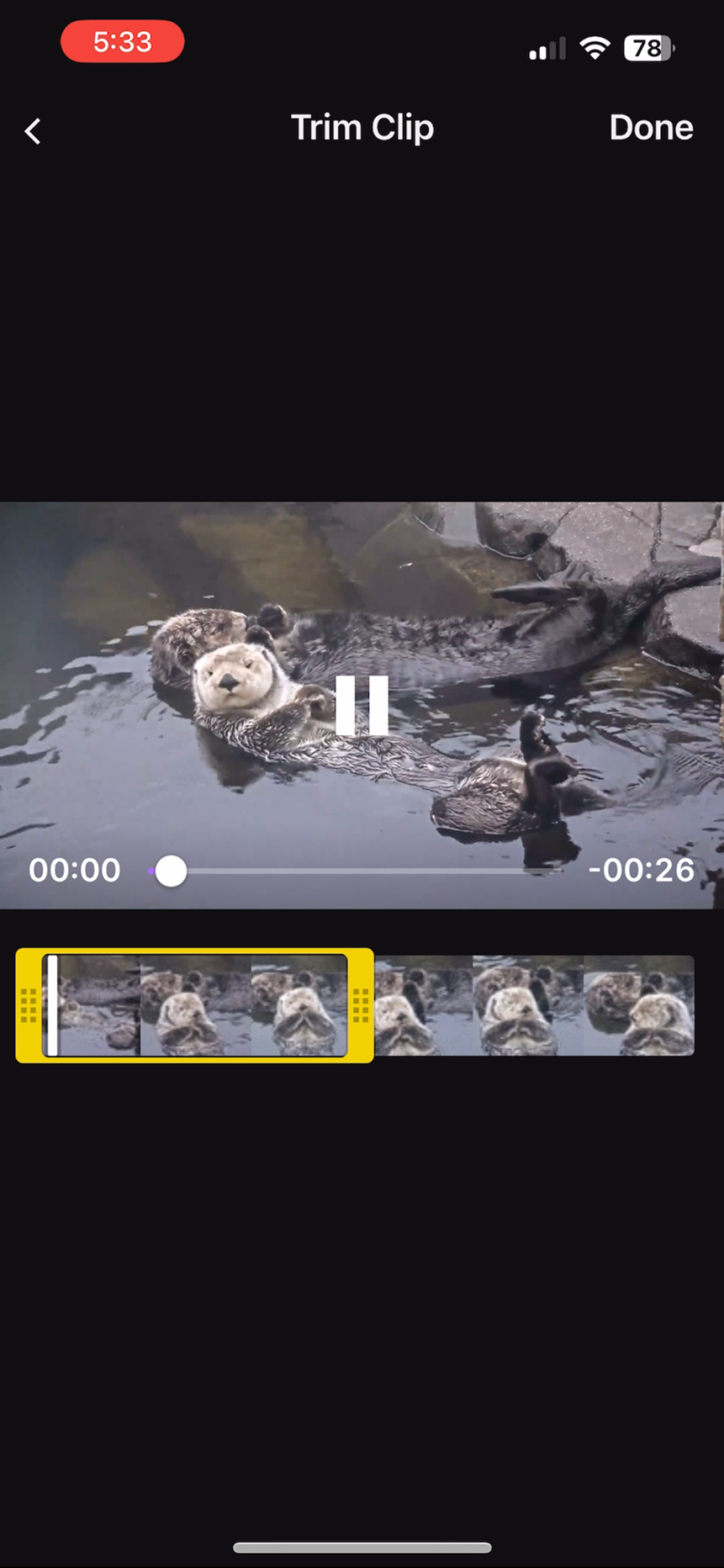
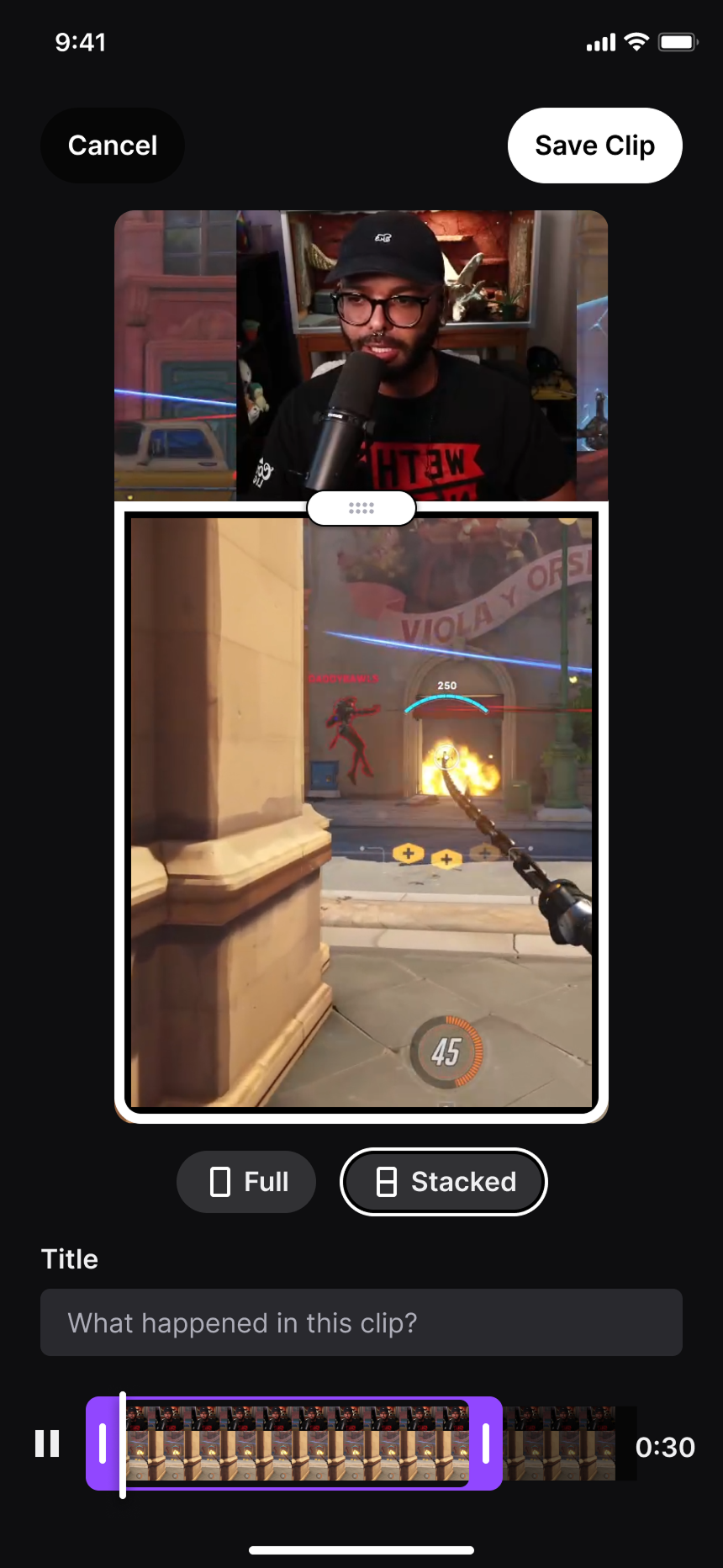
Early explorations of the four core steps: trim, edit portrait layout, add a title, and share.
Before & After
Side-by-side: the landscape-only legacy editor versus the redesigned portrait-first flow with inline trim, title, and share.
Prototype
The high-fidelity Figma prototype walking through the redesigned end-to-end flow.
Accessibility
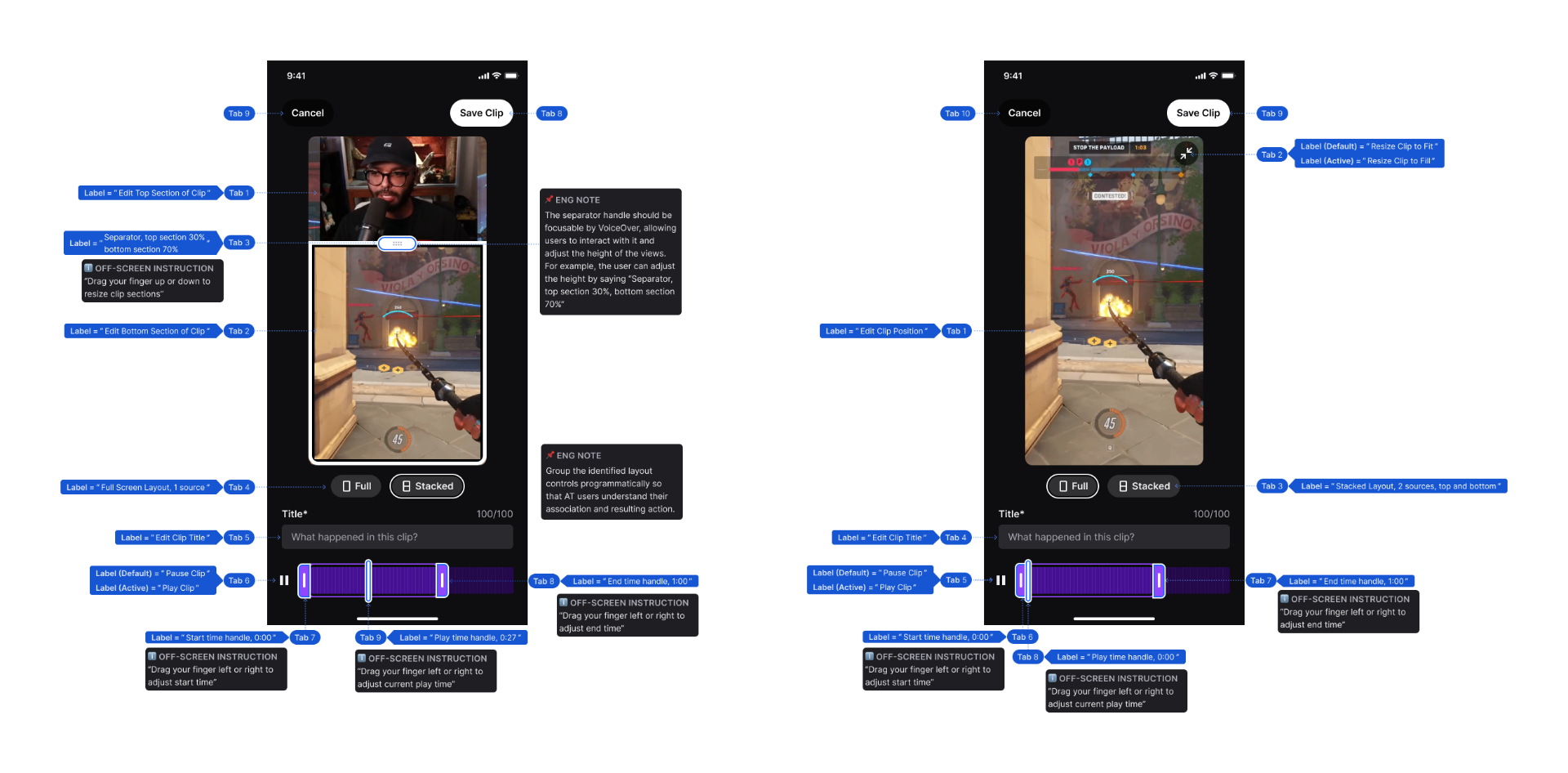
I authored full accessibility annotations covering VoiceOver labels, tab order, and engineering notes, and partnered closely with our accessibility program manager to ship at WCAG AA.
Featured in Times Square
The prototype was featured in Times Square during Figma's "Refresh" campaign.
Results
Learnings
Accessibility is a shared responsibility
Align with engineering on accessibility as a launch requirement, not a nice-to-have, at the very beginning of the project.
Involve engineering from day one
Understanding technical constraints of design options early avoided weeks of churn, especially on a new internal tooling stack.